
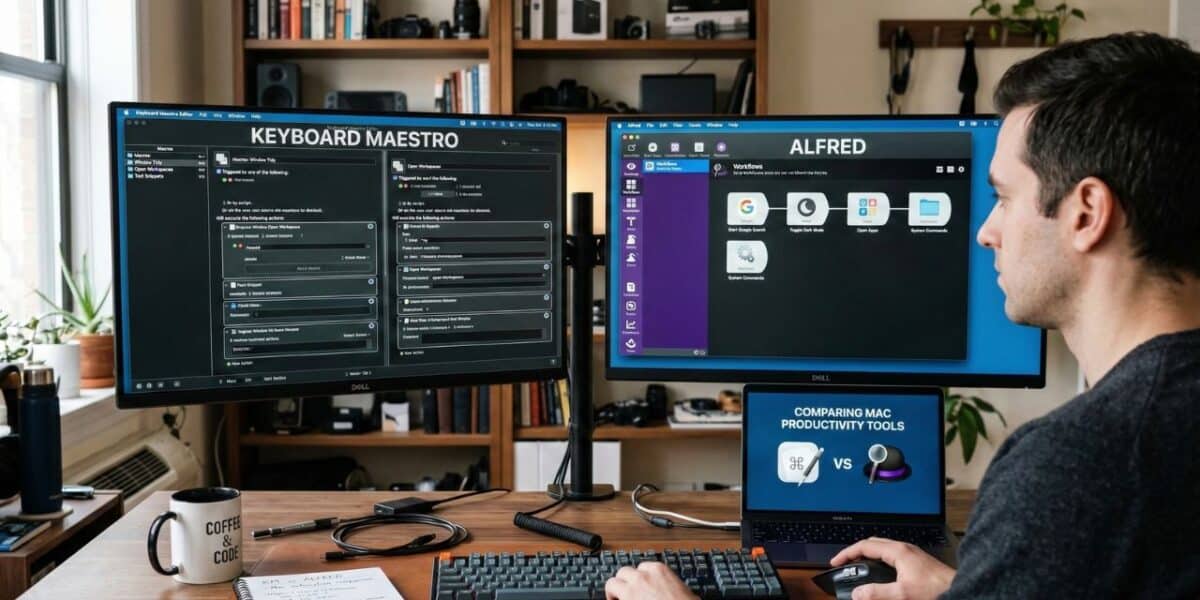
Keyboard Maestro is a deep Mac automation tool that lets you build macros with conditional logic, GUI scripting, typed string triggers, and hundreds of built-in actions. Alfred is a Mac launcher and productivity suite that replaces Spotlight with faster search, custom workflows, clipboard history, and Snippets for text expansion.
Both are Mac-only, and both get mentioned in every “essential Mac tools” conversation. But they approach productivity from opposite directions. Alfred starts at the search bar and works outward into automation. Keyboard Maestro starts at the macro engine and works outward into everything else.
Here are the key differences at a glance:
- Primary purpose: Alfred is a launcher and search tool with automation capabilities; Keyboard Maestro is an automation engine with no built-in launcher
- Ease of use: Alfred is approachable from day one; Keyboard Maestro has a steep learning curve that rewards patience
- Automation depth: Alfred workflows connect triggers to actions visually; Keyboard Maestro macros support conditional logic, loops, variables, GUI scripting, and multi-step branching
- Pricing: Alfred is free with a paid Powerpack upgrade starting at ~$46 USD; Keyboard Maestro costs $36 one-time
- Text expansion: Both offer it, but through different approaches. Alfred has a dedicated Snippets feature; Keyboard Maestro uses typed string triggers within its macro system
Many Mac power users run both apps side by side, and the two tools never conflict. This comparison will help you decide whether you need Alfred, Keyboard Maestro, or both.
What is Alfred?
Alfred is a productivity app for macOS that replaces Spotlight search with a faster, more extensible launcher. Press a keyboard shortcut, type a few characters, and Alfred finds your apps, files, contacts, bookmarks, and system commands almost instantly. The app has been a staple of the Mac ecosystem since 2010, built by the UK-based team at Running with Crayons Ltd.
The free version covers a lot of ground. App launching, web search with over 30 built-in engines, a calculator, dictionary lookups, system commands like emptying the trash or putting your Mac to sleep, and custom web search keywords are all available without paying anything. Many users run Alfred free for years and get genuine value from it.
The Powerpack is where Alfred transforms from a fast launcher into a full productivity suite. This one-time paid upgrade unlocks:
- Workflows: A visual editor for connecting triggers, inputs, actions, and outputs into automated sequences. Thousands of community-built workflows extend Alfred into everything from emoji pickers to API query tools to project management integrations.
- Clipboard History: Search and paste from your recent clipboard entries, including text, images, and file paths. Alfred stores your clipboard history locally and lets you search it by content.
- Snippets and text expansion: Create collections of frequently typed text and assign abbreviations. Dynamic placeholders handle dates, times, clipboard contents, and cursor positioning.
- File navigation and Universal Actions for performing batch operations on files, text, and URLs
- 1Password integration, custom themes, music controls, contacts viewer, and terminal command support
Alfred 5 is the current major version (5.7.2 as of late 2025). It runs on macOS 10.14 Mojave or later with native Apple Silicon support. Powerpack pricing starts at ~$46 USD for a single license and ~$79 USD for the Mega Supporter license that includes all future upgrades.
What makes Alfred special is speed. Every interaction keeps your hands on the keyboard and gets you back to work in seconds. Alfred is not trying to automate complex multi-step processes. It is trying to eliminate the friction between thinking “I need to do X” and doing it.
What is Keyboard Maestro?
Keyboard Maestro is a macOS automation app built by Stairways Software, and it is the deepest automation tool available on the Mac. You build macros that combine triggers, conditions, and actions into sequences capable of controlling nearly anything on your system. If Alfred is a Swiss Army knife you carry in your pocket, Keyboard Maestro is the full workshop in your garage.
The trigger system alone sets Keyboard Maestro apart. You can fire a macro from a hot key, typed string, USB device connection, application launch, time of day, folder change, login event, remote trigger, MIDI note, cron-style schedule, or wireless network change. From there, you chain together actions from a library of hundreds:
- Application control: Launch, quit, hide, or switch between apps. Select specific menu items. Click buttons in dialogs. Interact with interface elements that have no keyboard shortcut through GUI scripting.
- Conditional logic: If/then/else branching, while loops, repeat actions, try/catch error handling, and variable manipulation. A single macro can check the frontmost app, read a variable, examine the clipboard, and take different actions depending on what it finds.
- Window management: Move, resize, tile, center, minimize, or maximize windows with macros or hot keys. Position windows at exact screen coordinates across multiple displays.
- Scripting: Run AppleScript, JavaScript for Automation, shell scripts, and Swift scripts inside any macro. Pass variables between actions and scripts freely.
- Clipboard history and named clipboards: A built-in clipboard manager saves everything you copy, lets you search past entries, and supports named clipboards for storing data between macro runs.
Keyboard Maestro 11.0.4 is the current version. It runs on macOS 10.13 High Sierra or later with native Apple Silicon support. A license costs $36 for one user on up to five Macs, and that is a one-time purchase. Upgrades from older versions cost $25.
The honest trade-off: Keyboard Maestro has a steep learning curve. The macro editor presents a blank canvas with hundreds of possible actions, and new users often feel lost for the first few weeks. The community forum and wiki help, but this is a tool that rewards dedicated learning time.
Feature comparison
| Feature | Alfred (with Powerpack) | Keyboard Maestro |
|---|---|---|
| App launcher | Yes, core feature | Yes, via macro triggers |
| File search | Yes, fast indexed search with previews | No built-in file search |
| Web search | Yes, 30+ built-in engines plus custom keywords | No built-in web search |
| Clipboard history | Yes (Powerpack) | Yes, with named clipboards |
| Text expansion | Yes, Snippets with dynamic placeholders (Powerpack) | Yes, via typed string triggers |
| Automation/workflows | Visual workflow editor with community library | Full macro engine with conditional logic, loops, and variables |
| Conditional logic | Limited (workflow branching) | Full if/then/else, loops, try/catch, regex matching |
| GUI scripting | No | Yes, click buttons, select menus, interact with UI elements |
| Window management | No built-in feature | Yes, move, resize, tile, and position windows |
| Scripting languages | AppleScript, Python, Bash, JavaScript (in workflows) | AppleScript, JavaScript, shell, Swift (in macros) |
| Trigger types | Hotkey, keyword, external trigger | Hotkey, typed string, USB device, app event, time, MIDI, cron, and more |
| Calculator | Yes, in the search bar | Through scripting only |
| Custom themes | Yes | No (editor-focused interface) |
| Learning curve | Low to moderate | Steep |
| Price | Free (basic) / ~$46+ (Powerpack) | $36 one-time |
Where they overlap
Alfred and Keyboard Maestro share three areas of functionality: automation, clipboard management, and text expansion. How each tool handles these overlapping features reveals their design philosophies.
Automation
Alfred’s Workflow editor lets you connect objects visually: a keyword trigger feeds into a script filter, which feeds into an action, which produces output. The interface is clean and approachable. The community has built thousands of workflows you can download and use immediately.
Keyboard Maestro’s macro editor is more like a programming environment. You stack actions sequentially, add branching logic, insert loops, define variables, and build error handling. A macro that monitors a folder for new files, renames them according to a pattern, moves them to a destination, and sends a notification is routine Keyboard Maestro territory.
The practical difference: Alfred workflows tend to be short, focused, and triggered on demand. Keyboard Maestro macros can be long, complex, and triggered automatically by system events.
Clipboard management
Both tools include clipboard history managers, and both are solid. Alfred’s Clipboard History stores text, images, and file paths with search and keyboard-shortcut pasting. Keyboard Maestro’s clipboard manager adds named clipboards that persist between macro runs and store data for automated workflows. For everyday clipboard use, either tool does the job well.
Text expansion
Alfred’s Snippets feature, available with the Powerpack, gives you collection-based organization, auto-expansion by abbreviation, dynamic placeholders for dates and clipboard contents, cursor positioning, and both plain text and rich text support. Creating a new Snippet takes seconds in Alfred’s preferences.
Keyboard Maestro handles text expansion through typed string triggers. You create a macro, add a typed string trigger, and set the action to “Insert Text by Typing.” The trigger supports case sensitivity, word boundary restrictions, and regular expression matching. If you type the trigger in all uppercase, Keyboard Maestro can adapt the output case to match.
The usability gap matters. Adding a new text expansion in Alfred means opening preferences, clicking a collection, and typing the abbreviation and content. Adding one in Keyboard Maestro means creating a new macro, naming it, adding a typed string trigger, configuring the trigger, adding an Insert Text action, and entering the content. Alfred makes this specific task faster.
For dedicated text expansion needs that go beyond what either tool offers, such as fill-in fields, team-shared Snippet libraries, or cross-platform access on Windows and mobile devices, a dedicated text expansion tool fills that gap. Many Mac users pair one or both of these tools with TextExpander for that reason.
Where Alfred wins
Alfred wins every interaction where speed and simplicity matter more than depth.
App launching and search. This is Alfred’s reason for existing, and nothing on the Mac matches it for this job. Press your Alfred hotkey, type two or three characters, and your target app or file appears. Alfred learns from your habits and surfaces the most relevant results first. Keyboard Maestro can launch apps through macros, but that requires pre-configuring a trigger for each app. Alfred’s adaptive search handles thousands of apps and files without any setup.
Web search and bookmarks. Alfred ships with over 30 built-in web search engines: Google, Amazon, Wikipedia, YouTube, Stack Overflow, and more. Type a keyword and your query, and Alfred opens the results in your browser. Custom search keywords let you add any URL-based search, including internal company tools. Keyboard Maestro has no equivalent feature.
Alfred also excels at lightweight daily tasks. It sits quietly in the background, consuming minimal resources, and responds instantly when summoned. Open a file. Search the web. Calculate a tip. Look up a word. Copy something from your clipboard history. Alfred handles dozens of small interactions throughout the day without requiring you to think about triggers, macros, or configuration. None of these tasks justify building a macro.
Two more advantages are worth calling out. Alfred’s free version is genuinely useful on its own: app launching, web search, calculator, dictionary, and system commands cost nothing, so you can evaluate the tool before spending a cent. The Alfred community has also built an enormous library of downloadable workflows for everything from color pickers to package trackers to Spotify controllers. Installing a community workflow is drag-and-drop simple. Keyboard Maestro has a macro library too, but sharing and installing macros requires more manual steps.
Where Keyboard Maestro wins
Keyboard Maestro wins every task that requires depth, logic, or system-level control.
Complex multi-step automation. A macro that watches for a specific app to launch, rearranges windows across two monitors, opens three related documents, and sends a Slack message when the workspace is ready is a normal Keyboard Maestro setup. Alfred workflows can chain actions together, but they lack the conditional logic, looping, and variable management that complex automation demands.
Conditional branching. Keyboard Maestro macros can make decisions. Check whether a specific app is running. Read the contents of the clipboard. Test a variable against a regular expression. Take different actions at each decision point. This is programming without writing traditional code, and it opens up automation possibilities that linear workflow tools cannot match.
Keyboard Maestro can also click buttons, select menu items, and interact with interface elements in any application through GUI scripting. Some apps do not expose their functionality through AppleScript or keyboard shortcuts. Keyboard Maestro’s “Click at Found Image” and menu selection actions let you automate those stubborn apps anyway. Alfred has no GUI scripting capability.
System-level control rounds out the advantage. Adjust audio volume. Toggle Bluetooth or Wi-Fi. Change display brightness. Mount network drives. Eject disks. Keyboard Maestro reaches into system-level operations that fall outside Alfred’s scope, all through macros triggered by hotkeys, schedules, or events.
The trigger variety alone justifies the purchase for many users. Keyboard Maestro supports more trigger types than any other Mac tool: USB device connections, Wi-Fi network changes, application activations, scheduled times, folder content changes, and MIDI notes. Alfred primarily triggers from its search bar, hotkeys, and external triggers from scripts.
Using both together
The Mac power user community figured this out years ago: Alfred and Keyboard Maestro are not competing tools. They are complementary tools that handle different layers of your workflow.
The typical setup assigns each app to what it does best. Alfred handles launching, searching, clipboard history, web queries, and quick one-step tasks. Keyboard Maestro handles complex automation, window management, app control sequences, and anything that needs conditional logic or scheduled execution. Both apps request Accessibility permissions in macOS and coexist without conflict. I have run this pair for years without a single performance issue.
The one area that needs coordination is text expansion. If you use Snippets in Alfred and typed string triggers in Keyboard Maestro, make sure no abbreviations overlap between the two apps. The cleaner approach: pick one app for text expansion and stick with it. Most users who run both tools give text expansion duties to Alfred’s Snippets because the creation workflow is faster, and reserve Keyboard Maestro’s typed string triggers for macros that need to do something more than insert text.
You can also trigger Keyboard Maestro macros from Alfred. Community-built Alfred workflows let you search your Keyboard Maestro macro library from Alfred’s search bar and execute any macro by name. This combination gives you Alfred’s search speed as a front end to Keyboard Maestro’s automation depth.
When you need more from text expansion
Alfred Snippets and Keyboard Maestro typed string triggers both handle straightforward text expansion on the Mac. You type an abbreviation, you get your text. For a lot of people, that is enough.
Where both tools hit their ceiling is the same place: anything beyond solo, Mac-only, plain text replacement. If you need fill-in-the-blank fields that prompt you for details each time a Snippet fires, neither Alfred nor Keyboard Maestro offers that natively. If you work on a team and need everyone using the same response templates with centralized updates, neither tool has a sharing model built for that. And if you move between a Mac, a Windows PC, and a phone throughout your day, your Alfred Snippets and Keyboard Maestro macros stay behind on the Mac.
TextExpander fills that specific gap. It runs on Mac, Windows, Chrome, iPhone, iPad, and Android, and it keeps your Snippet library consistent across all of them. The fill-in field system lets you build templates with dropdown menus, optional sections, and date calculations that prompt you to complete them each time. For teams, a shared Snippet library with permission controls and usage analytics means one person updates a response template and everyone gets the change immediately. Virta Health, a healthcare company, saved over 69,000 hours in a year using that approach.
The trade-off is real. TextExpander is a subscription starting at $3.33 per month for individuals, while Alfred and Keyboard Maestro are both one-time purchases. Adding another app to your setup means another thing running, another login, another set of abbreviations to manage. If your text expansion needs are simple and Mac-only, Alfred or Keyboard Maestro already has you covered.
But if you have found yourself wishing your Snippets worked on your phone, or that your team could share a library of approved responses, or that you could build a template that asks you to fill in a customer name and issue type before it expands, that is the gap TextExpander is designed for. You can try it free for 30 days alongside Alfred and Keyboard Maestro to see whether it adds enough value to justify the subscription.
Pricing comparison
Both tools use one-time pricing, which makes the comparison straightforward.
Alfred pricing
The base Alfred app is free. The Powerpack upgrade is a one-time purchase priced in British pounds:
- Powerpack Single License: ~$46 USD (£34) for Alfred 5, covering one user
- Mega Supporter License: ~$79 USD (£59) for one user with free lifetime upgrades to all future Alfred versions
The Single License covers Alfred 5. When Alfred 6 eventually arrives, you would pay a discounted upgrade fee. The Mega Supporter license covers every future version at no additional cost. For a deeper look at what each Alfred tier includes, see the Alfred free vs Powerpack breakdown.
Keyboard Maestro pricing
Keyboard Maestro 11 is a one-time purchase with no free tier:
- New license: $36 for one user on up to five Macs
- Upgrade from version 10 or earlier: $25
No subscription. No renewal fees. You own version 11 and use it until you decide to upgrade. Stairways Software has historically offered reasonable upgrade pricing and generous free-upgrade windows for recent purchasers.
Value breakdown
Keyboard Maestro at $36 is one of the best values in Mac software. Alfred Powerpack at ~$46 is similarly good value, considering you get a launcher, clipboard manager, Snippet tool, and workflow engine in one package. The Mega Supporter option at ~$79 is worth considering if you plan to use Alfred long-term.
Running both costs roughly $82 total, with no ongoing fees. That is less than many subscription apps charge per year.
Frequently asked questions
Can Alfred replace Keyboard Maestro?
For simple automation, Alfred’s workflows cover a lot of ground. If your needs center on launching apps, searching files, managing your clipboard, expanding text, and running short automated sequences, Alfred handles all of that. You will miss conditional logic, GUI scripting, system-level control, and the extensive trigger types that make Keyboard Maestro unique. If you find yourself wanting macros that make decisions or run on schedules, Keyboard Maestro fills a gap that Alfred does not cover.
Can Keyboard Maestro replace Alfred?
You can build macros to launch apps and open files. But Keyboard Maestro has no built-in search bar, no adaptive app matching, no web search keywords, and no visual workflow library. Replacing Alfred’s core launcher functionality would require configuring individual macros for every app and search query you use. That is a lot of upfront work to replicate something Alfred does instantly out of the box.
Do Alfred and Keyboard Maestro conflict on Mac?
No. Both apps use macOS Accessibility permissions and can run simultaneously without interference. The only potential issue is overlapping text expansion abbreviations. Assign text expansion to one app and keep the other focused on different trigger types. Both apps are well-behaved and consume minimal system resources.
Which should I start with?
If you are new to Mac productivity tools, start with Alfred. The free version gives immediate value, and the learning curve is gentle. If you later want automation beyond what Alfred’s workflows handle, add Keyboard Maestro. Starting with Keyboard Maestro first often leads to frustration because the learning curve is steeper and the payoff takes longer to materialize.
What about text expansion beyond what these tools offer?
Both Alfred Snippets and Keyboard Maestro typed string triggers handle basic text expansion on the Mac. If you need fill-in-the-blank templates, team-shared Snippet libraries with permission controls, or cross-platform text expansion that works on Windows, iPhone, and iPad alongside your Mac, neither tool covers that ground. Alfred vs TextExpander and Keyboard Maestro vs TextExpander break down those comparisons in detail.
Related resources
- Alfred vs TextExpander for a comparison of Alfred’s Snippets against dedicated text expansion
- Keyboard Maestro vs TextExpander for a comparison of KM’s typed string triggers against dedicated text expansion
- Alfred alternatives for other Mac launcher and productivity tools
- Alfred free vs Powerpack for a detailed look at what the paid upgrade adds
- Best macro software for a broader look at Mac automation tools
- TextExpander features for fill-in fields, team sharing, and cross-platform text expansion
- What are text Snippets? An introduction to text expansion
- Try TextExpander free for 30 days if you need text expansion beyond what Alfred or Keyboard Maestro provides